
Saturday, July 27, 2019
The Fair Use App
This app is an educational tool for filmmakers and video creators. This is an app I would like to introduce to my school's film class and club. It can serve as an introduction to what fair use is and how to avoid using the work of others without crediting them. Students need to know what fair use is when it comes to making films and video and creating original content. This app walks through the various considerations one would want to know when recording videos, developing films and much more. These things to keep in mind are:
when you can reuse content
how your choices affect a fair use argument
when its time to talk to a lawyer
Even with students in middle to high school, this topic, possibly considered heavy to think about, is something that needs to be discussed. Students can create a good amount of material during their time in high school, so they should be as educated as possible and ensure their work...is their work!


Friday, July 12, 2019
ClassDojo
I was given the chance to test this out in a meeting with my district's other level librarians to see what the hype was all about. I work at a high school and this app is intended for more elementary level classrooms and libraries so I wanted to see why everyone loved it so much! ClassDojo's main purpose to connect the student to the teacher to the parents and any other combination. It is a great app to ensure students are supported wherever they are whether it be school or home.
The three main features of this app are creating a positive culture, give students a voice, and share moments with parents.
The three main features of this app are creating a positive culture, give students a voice, and share moments with parents.
- Creating a Positive Culture
- "Teachers can encourage students for any skill or value — whether it's working hard, being kind, helping others or something else."
- Giving Students a Voice
- "Students can showcase and share their learning by adding photos and videos to their own portfolios."
- Sharing Moments with Parents
- "Get parents engaged by sharing photos and videos of wonderful classroom moments."
It allows the teacher to keep all the classroom tools in one place which helps to maintain the consistency and classroom management. "Make random groups of students. Display activity directions. Turn on background music. And there’s so much more to come with ClassDojo Toolkit."
The students can also create a digital profile allowing the teacher to observe their work and track participation.
This app also allows the teacher to instantly share photos and message parents in a private thread.
- Parents easily join your class using any device
- Instantly translate messages into 30+ languages
- Let families know when you're busy with Quiet Hours
This app works on any device, is always free for teachers to sign up, and is built with privacy keeping classrooms and communities safe.
This app would be perfect to use in class if a teacher is looking for a different way to increase opportunities to respond in class. This encompasses a popular evidence-based practice known as Active Student Responding. This would shake up the classroom a bit and give students a platform to find more comfortable and confident ways to participate to deeper their understanding of content.
Wednesday, June 26, 2019
Knowhere
Knowhere is more of a website tool versus an app that is perfectly suited for grades 6-12. It is a great tool to supplement teaching digital, media, and information literacy skills.This can be used in middle and high schools which can be an amazing tool to introduce early on, and then carry on using it through high school.
Pros: It is free to use. It can be accessed on any device as long as there is Wi-Fi connection since the platform is a website. It is reliable because it comes from Common Sense Media, which is a source for many videos on digital citizenship. Knowhere provides a side-by-side representation of example new stories. This process assists students in gaining a deeper understanding of how facts and news can be interpreted by multiple sources, people, and outlets.
Cons: Because this is more of a web page and is free, when accessed on school devices, some articles may be filtered or blocked.
In my Opinion: Finding and interpreting viewpoints can be a difficult skill, especially as a younger learner. This site makes the aspect of determining credible sources much easier. It builds on students' critical thinking skills. I think students should be encouraged to use this site, not as a sole tool for their source credibility checker, but can be part of a whole lesson on determining media bias and will help them think about what the web produces for them when searched.

https://knowherenews.com/
Pros: It is free to use. It can be accessed on any device as long as there is Wi-Fi connection since the platform is a website. It is reliable because it comes from Common Sense Media, which is a source for many videos on digital citizenship. Knowhere provides a side-by-side representation of example new stories. This process assists students in gaining a deeper understanding of how facts and news can be interpreted by multiple sources, people, and outlets.
Cons: Because this is more of a web page and is free, when accessed on school devices, some articles may be filtered or blocked.
In my Opinion: Finding and interpreting viewpoints can be a difficult skill, especially as a younger learner. This site makes the aspect of determining credible sources much easier. It builds on students' critical thinking skills. I think students should be encouraged to use this site, not as a sole tool for their source credibility checker, but can be part of a whole lesson on determining media bias and will help them think about what the web produces for them when searched.
https://knowherenews.com/
Friday, June 21, 2019
The Case of the Cyber Criminal
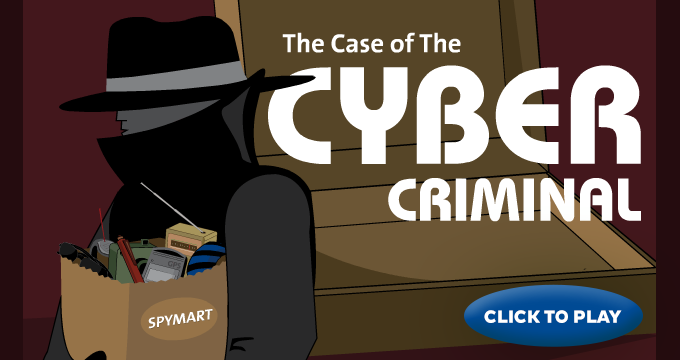
This was a fun, free, engaging game you can play on any device. I played on my laptop but can definitely see it being played on one-to-one devices. "A techie spy and his cunning crew are out to get your personal information. Stop them cold by proving you're ready to protect yourself online". It teaches younger students how to be safe online. I would say this game is appropriate for middle-high schoolers. I do not think children younger than 10-11 years old would be able to fully understand the language and vocabulary used in the questions. This would be a good game to play within the first week of school in any subject class. It can be included in the library's orientation class as well. It was challenging, made you think, introduced/refreshed some virus/spyware, and kept me on my toes. I think this would be a great starting point for being a responsible digital citizen!
Play the game now: https://www.consumer.ftc.gov/media/game-0013-case-cyber-criminal
Play the game now: https://www.consumer.ftc.gov/media/game-0013-case-cyber-criminal
Thursday, June 13, 2019
DigitalCitizen by Learning.com
I tried this APP out on my iPhone after one of our instructional tech staff members mentioned they want to implement it in my district's middle school next year as a first week of school introduction to digital citizenship.
I found this app super friendly to use, fun, and informational. You can use the app by first creating a free account. This app provides middle and high school students "with instruction on online safety, the ethical use of digital resources, and cyberbullying. Through engaging videos, interactive games, and a quiz, the app ensures student understanding of these important concepts".
The apps interface is interactive and has fun cartoon figures making it nice for younger learners to keep engaged. The information is provided, but is not too overwhelming or too much to digest.
I found this to be a great tool and I may even think about using it with my Freshmen during their library orientation next school year!

Friday, June 7, 2019
SORA APP
This app is through Overdrive and it is heavily used in my school library. The students love it and the staff are coming around to it. It is an app that can be used to read eBooks. The app has over 12,000 eBooks and audio books available for patrons to check out. It gets checked out to your SORA account and then after 21 days it will automatically return the item, if you have not renewed or returned it sooner!
There are functions that allow for readers to switch on a dyslexia aiding font typeface which weights the letters making it easier on the eyes to focus.
There are sepia, night, and day options available depending on when someone wants to read.
It is available on most to all devices.
It syncs up on multiple devices, meaning if you open the app on your laptop and read 20 pages. Then open the app on your phone, it will automatically jump to where you left off.
You can annotate and take notes while reading.
You can look up definitions in real time of words.
It tracks the amount of time spent on each page and then totals how long you have been reading.
It tracks your checkout history.
You can have as many books out as you want.
You can filter searches based on preference and audience level.
You can link your public library card to the account making it possible to check out books from public libraries. This means you can checkout an eBook from your school library and then turn around and checkout an available eBook from your public library!
I 100% recommend this app to all school libraries.
https://help.overdrive.com/customer/en/portal/articles/2949705-getting-started-with-sora

There are functions that allow for readers to switch on a dyslexia aiding font typeface which weights the letters making it easier on the eyes to focus.
There are sepia, night, and day options available depending on when someone wants to read.
It is available on most to all devices.
It syncs up on multiple devices, meaning if you open the app on your laptop and read 20 pages. Then open the app on your phone, it will automatically jump to where you left off.
You can annotate and take notes while reading.
You can look up definitions in real time of words.
It tracks the amount of time spent on each page and then totals how long you have been reading.
It tracks your checkout history.
You can have as many books out as you want.
You can filter searches based on preference and audience level.
You can link your public library card to the account making it possible to check out books from public libraries. This means you can checkout an eBook from your school library and then turn around and checkout an available eBook from your public library!
I 100% recommend this app to all school libraries.
https://help.overdrive.com/customer/en/portal/articles/2949705-getting-started-with-sora
Subscribe to:
Comments (Atom)